Optimize Your Listing Title and Description
Your Airbnb title is the first thing guests see in search results. Use this formula: [Property Type] + [Unique Feature] + [Location]. For example: "Modern Loft with Rooftop Pool near Downtown Austin" or "Beachfront Studio with Ocean View in Malibu." Avoid generic words like "cozy," "beautiful," or "nice" -- they waste characters and do not differentiate your listing.
For your description, lead with your top three highlights in the first two sentences. Guests rarely read beyond the fold, so front-load value. Include neighborhood context (walking distance to attractions, transit access), mention every amenity explicitly (Wi-Fi speed, coffee maker brand, streaming services), and use short paragraphs with bullet points for scannability. Airbnb title optimization is about relevance and specificity -- match what guests search for and filter by.
Professional Photography That Converts
Photo quality is the number one conversion factor on Airbnb. Listings with professional photos earn up to 40% more revenue than those with amateur images. Your cover photo determines whether guests click your listing from search results -- it is the highest-leverage optimization you can make.
Hire a professional photographer ($150-$300 for most properties) or follow these DIY guidelines: shoot during golden hour (morning or late afternoon), use a wide-angle lens, stage each room with minimal decor, ensure every light is on, and capture at least one shot of every room plus outdoor spaces. Your shot list should include: hero exterior/view shot, living area, kitchen, each bedroom, bathroom, unique amenities (pool, hot tub, view), and neighborhood context. Update photos seasonally -- a summer cover photo in December undermines trust.
How to Price Your Listing Competitively
Fixed pricing leaves money on the table during peak demand and loses bookings during slow periods. Use dynamic pricing tools like Pricelabs, Wheelhouse, or Beyond Pricing to automatically adjust your rates based on local demand, competitor pricing, events, and seasonality. Most hosts see a 15-30% revenue increase within the first quarter.
For new listings, use introductory pricing (10-20% below market) for the first 3-5 bookings to build reviews quickly. Set minimum stay requirements strategically: 2-night minimums on weekends, 1-night during weekdays, and longer minimums during peak seasons. For a deep dive on pricing strategy, see our guide on dynamic pricing.
Response Rate and Guest Communication
Airbnb tracks your response rate and response time as ranking signals. Hosts who respond to 100% of inquiries within one hour receive a significant visibility boost in search results. Sub-1-hour responses are not just good for rankings -- they directly correlate with higher booking conversion rates, because guests often message multiple hosts and book with whoever responds first.
The challenge is maintaining instant responses at all hours, especially across time zones. An AI receptionist solves this by responding to every guest message instantly, in any language, 24/7. This keeps your response rate at 100% without requiring you to be glued to your phone. Combined with automated messaging for scheduled touchpoints, your guest communication runs on autopilot while your ranking benefits from perfect metrics.
Reviews and Superhost Status
Guest reviews are the compound interest of Airbnb optimization. Higher ratings lead to better search ranking, which leads to more bookings, which generates more reviews. To maximize your review score: set accurate expectations in your listing (do not over-promise), communicate proactively at every stage, resolve issues before they become complaints, and send a friendly review request the day after checkout.
Superhost status requires a 4.8+ average rating, 90%+ response rate, fewer than 1% cancellations, and at least 10 stays per year. Achieving and maintaining Superhost gives you a badge that increases click-through rates and a dedicated search filter that puts you in front of quality-conscious travelers. If you are also managing properties for others, our Airbnb co-host guide covers how to maintain Superhost standards at scale.
Want Alfred to Handle This for You?
Keep your response rate at 100% with an AI assistant that answers every guest message instantly, in any language, around the clock.
How Alfred Boosts Your Listing Performance
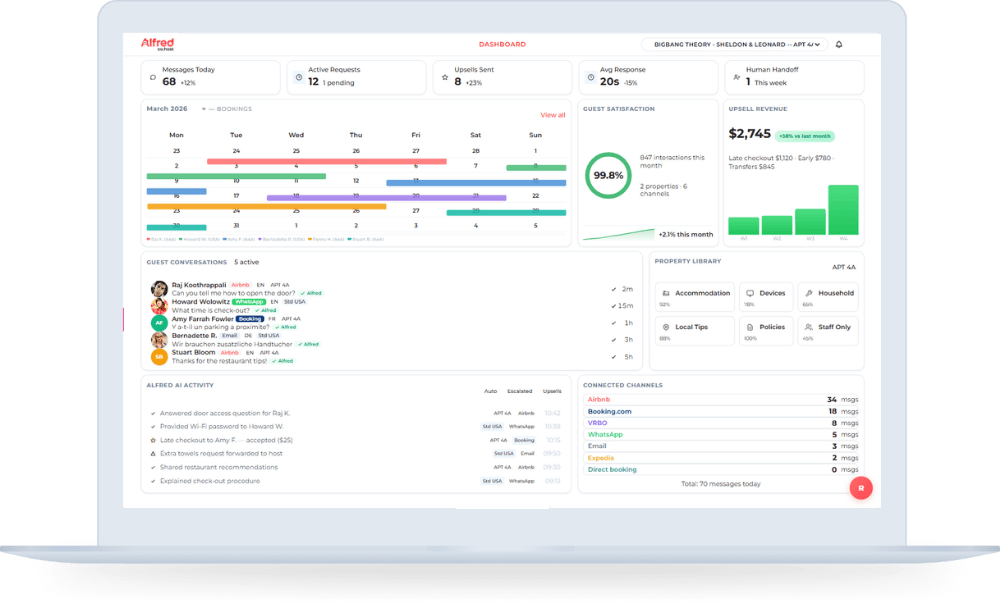
Alfred's AI-powered guest assistant directly improves the ranking signals Airbnb cares about most. Instant responses to every inquiry keep your response rate at 100% and your response time under 2 minutes -- metrics that Airbnb rewards with higher search placement. Multi-language support expands your potential guest pool to international travelers who might otherwise book a listing in their own language. And automated FAQ handling ensures every guest question gets a property-specific, accurate answer without you needing to be available.
Your Listing Optimization Checklist
Airbnb listing optimization is not a one-time task -- it is an ongoing system. Review your photos seasonally, update your description with recent amenity additions, and keep your response rate above 90% at all times. For the response rate piece, the highest-impact move is deploying an AI-powered receptionist that answers every guest message instantly, in any language. Try Alfred free and see your response metrics improve within the first week.